Testing

So attempting to shorten my signature page using only files and not pictures. I do want something though and files may be the only way to narrow that down. So bear with me.
2025 Toyota Tundra Hybrid with 2025 Tab 400 BC, BD and solar package
Comments
-
Better, Png's as opposed to pictures. They take up less room and still allow you to look to see what I have as opposed to just text of what you have. Will not put anything else on my signature page to detract.
2025 Toyota Tundra Hybrid with 2025 Tab 400 BC, BD and solar package
0 -
@SavvyNurseCamper I'm trying to understand what you would like the end point for your signature settings to actually look like. What you have now is actually more text and takes up a fair amount of room. I'm trying to see if you can actually have a picture in your signature line.
I altered my signature line to include a photo after the text. You can size the picture as well after you upload it.
2019 T@B 400 Boondock Lite towed by 2016 5.7L Toyota Tundra
1 -
@qhumberd I would want two pictures then. One of the truck and trailer and one of the battery I am using. I believe the width would be more than the current configuration I have. How do I get rid of the spoiler alert box? That would narrow in addition?
2025 Toyota Tundra Hybrid with 2025 Tab 400 BC, BD and solar package
0 -
@SavvyNurseCamper I logged in and cleared your signature box. Here is a computer generated help post about the options you have in the signature area and how to make changes:
I learned a couple of things myself doing this so see what you can come up with:
Forum Help: How to Customize Your Signature & Fix Formatting Issues
Your forum signature is a great place to display your T@B trailer model, tow vehicle, modifications, or travel maps. Because our new theme uses a modern Rich Text editor, you can easily format text, add links, and include photos.
To keep our discussion threads easy to read and clean on all mobile devices and desktops, the forum enforces a few size limits. Use this guide to set up a compliant signature or fix common formatting accidents.
📋 Signature Rules & Limits
Text Limit: Signatures are limited to a maximum of 400 characters (including spaces).
Image Size Limit: Any photos or graphics used in your signature must be set to a small form factor, keeping them to a maximum of 300 pixels wide.
🛠️ Step 1: Find Your Signature Settings
Click your Profile Picture / Avatar in the top-right corner of the screen.
Select Edit Profile (the gear icon) from the dropdown menu.
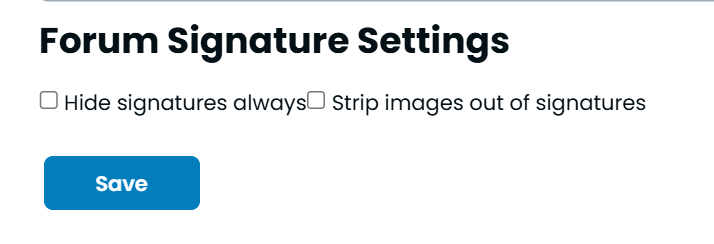
In the left-hand navigation menu, click Signature Settings.
✍️ Step 2: Adding Text, Links, and Photos
The signature box uses the exact same editor you use to post regular forum comments:
Text Formatting: Highlight any text to bring up the floating format bar. You can make text Bold, Italic, or change it into a bulleted list to neatly display your rig details (e.g., Year, Model, Tow Vehicle).
Links: Highlight your text, click the Link Icon (looks like a chain link), and paste your URL to share a modification thread or travel blog.
Photos: Click the Insert Media / Image icon (looks like a camera or a picture frame) at the bottom of the editor to upload an image.
📐 Step 3: Resizing and Formatting Your Photos
Instead of manually stretching images, the editor has built-in presets to keep your signature compact. To stay within the 300-pixel standard:
Once your photo uploads, click directly on the image inside the editor box. This will bring up a floating formatting menu.
Choose Your Size: Select Small (or Medium, depending on your original image size) from the size presets. This automatically downscales the photo to stay under the 300-pixel forum limit. Avoid the "Large" or default "Inline" sizing if your original photo is massive.
Choose Your Alignment: Select Float Left, Float Right, or Center from the menu to cleanly position the picture next to or beneath your text.
Click Save at the bottom of the page.
⚠️ Troubleshooting: How to Remove an Accidental "Spoiler Warning" Box
It is very easy to accidentally click the wrong button in the editor toolbar and insert a Spoiler Warning block or a Callout box. If this happens to your post or signature, don't worry—you don't have to delete your whole message to fix it.
Here is how to get rid of it:
Method 1: The Backspace Method
Click Edit on your post or signature.
Click your mouse cursor directly inside the text line right above or right inside the "Spoiler Warning" bar.
Press the Backspace (or Delete) key on your keyboard a few times. This will target the hidden container wrapper and dissolve the box entirely.
Method 2: The Toolbar Toggle
Click your cursor inside the text that is trapped inside the spoiler box.
Look at the toolbar at the bottom of your text editor. Look for the Spoiler Icon (which looks like an Eye with a line through it 👁️).
Click that icon. Because your cursor is inside the spoiler, clicking it again acts as a toggle switch and will instantly strip the box away, converting your text back to normal.
Tip: If a formatting box is being stubborn and won't go away, you can always highlight your text, copy it, hit the "Clear Formatting" button (looks like a Tx or an eraser), and paste it back in fresh.
2025 Toyota Tundra Hybrid with 2025 Tab 400 BC, BD and solar package
1 -
Personal opinion is that pictures in the signature detract from and confuse the subject matter posted and should be eliminated.
Stockton, New Jersey
2020 nuCamp T@B 320S * Jeep Wrangler
60,865 camping miles through the end of 20255 -
Thank you all. Will stick with the Files then. No Live Photos unless its to give examples. A picture is worth a thousand words.😉
2025 Toyota Tundra Hybrid with 2025 Tab 400 BC, BD and solar package
0 -
Hey I did not know we could even include them in the signature area until @SavvyNurseCamper asked about it. I tried looking back at my posts since it adds a picture to ALL of them, and I'm going to stick to basic text, which is what most of us need to participate in a discussion or question.
qhumberd
2019 T@B 400 Boondock Lite towed by 2016 5.7L Toyota Tundra
3 -
Well we all get to learn something! 😉
2025 Toyota Tundra Hybrid with 2025 Tab 400 BC, BD and solar package
0 -
@SavvyNurseCamper, I strongly agree with @AnOldUR and @qhumberd.
Adding photographs (or photo links) to your signature line is distracting and unhelpful. If you would like to display a pic of your camper and tow vehicle, the best place for that would be to change your profile picture. Then, add a relevant and brief written description of your particular set up (e.g., tow vehicle, T@B year and model, etc.) in your signature line. This provides that info for other Forum members to refer to when responding to inquiries/questions that are posted. Take a look at how different Forum members handle that and see if that helps identify what are important items to include.
I (and I suspect many other T@B owners) appreciate it when members include the "basics" about their T@B in their signature line. It avoids having to repeatedly ask questions to clarify what other members are asking about.
2019 T@B 320 S Boondock Lite ~ 2025 Toyota Tundra CrewMax 4x4
Greg & Marlene (Tucson, AZ)0 -
Hey folks,
Instead of bantering about not liking someone else's chosen signature and what you want them to display, just go into YOUR signature settings and select what not to show from others… everybody wins.
'Racing the Wind and Chasing the Sun'
In a 2023 T@B 400 (former T@B 320 owners)
Relentlessly Pursuing a Silverado EV
Homeport - Virginia Beach, VA
3 -
I often read the forum on my phone. My complaint about signature lines is they don't show up at all in the mobile version! :-/
2015 T@B Max S (320)
2015 Nissan Frontier SV V6 4x41




Categories
- All Categories
- 12 Cirrus Truck Campers
- 128 Dutchman and Vintage TaB Archives
- 3 Forum Rules
- 3 nüCamp & Forum Contacts
- 971 Air Conditioning & Refrigeration
- 2.7K Battery/Electrical & Solar
- 1.2K Camping & Travel
- 145 Events & News
- 220 Factory Comments
- 27 "FOR SALE" - New/Used Trailers
- 16 “FOR SALE" - Camping & Trailer Gear
- 2.4K Heating/Plumbing & Winterizing
- 138 Help - Computer & System
- 925 Introductions
- 409 Looking to purchase a trailer?
- 2.2K Modifications & Upgrades
- 1.4K Products and Accessories
- 429 Service/Maintenance & Recall Notices
- 37 Solo Travelers Hints & Tips
- 1 T@G Forum
- 78 Teardrop Groups & Links
- 78 Testimonials
- 923 Tips & Tricks
- 1.5K Trailer & Towing
- 27 Owners Manuals/PDF Files/Videos & Resources
- 56 üCamp Rally - News & Information