Best Of
Re: Check Your Breakaway Brake Switches
You can buy the coiled cables separate if you do not need the switch. I bought the 2 pack and have one in the box for a spare.
Re: Check Your Breakaway Brake Switches
Yeah - I did an involuntary test too, by having wound up too much of the slack in the cable. Stupid but a lesson learned.
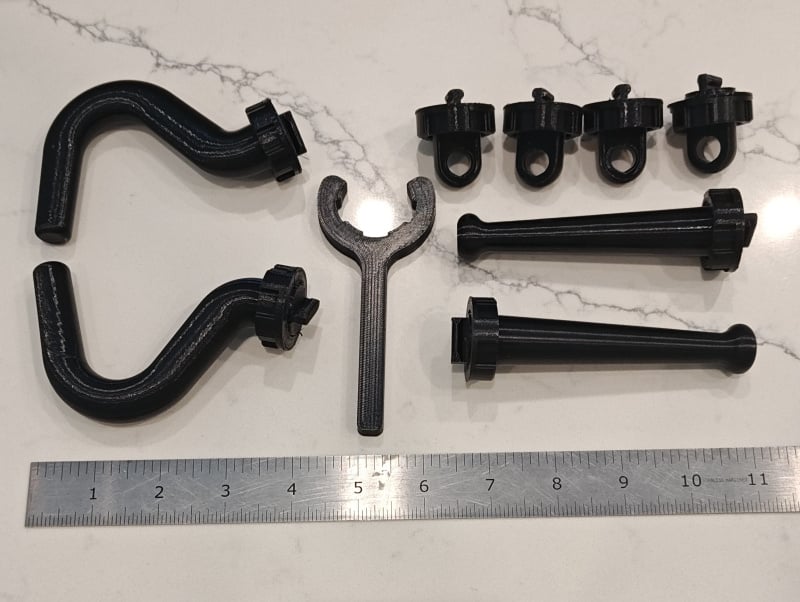
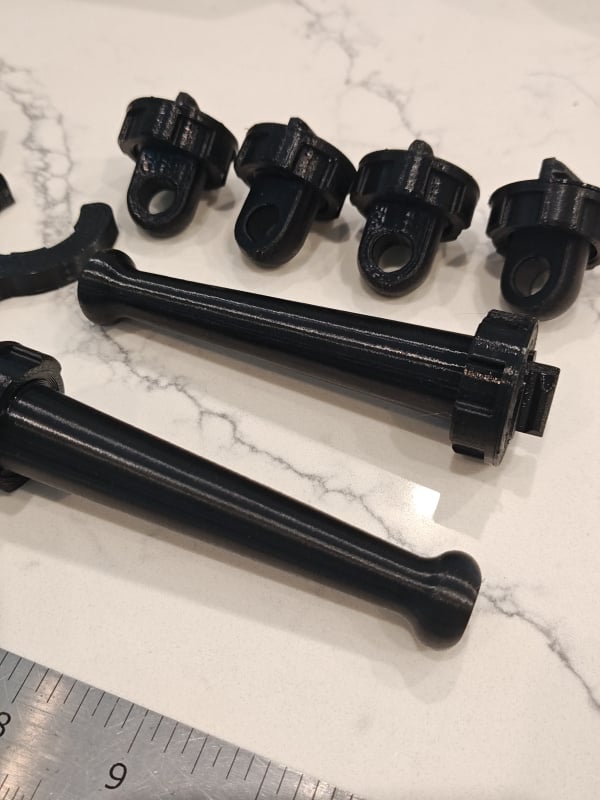
'23 T@B320 Door Jamb Cover/Insert
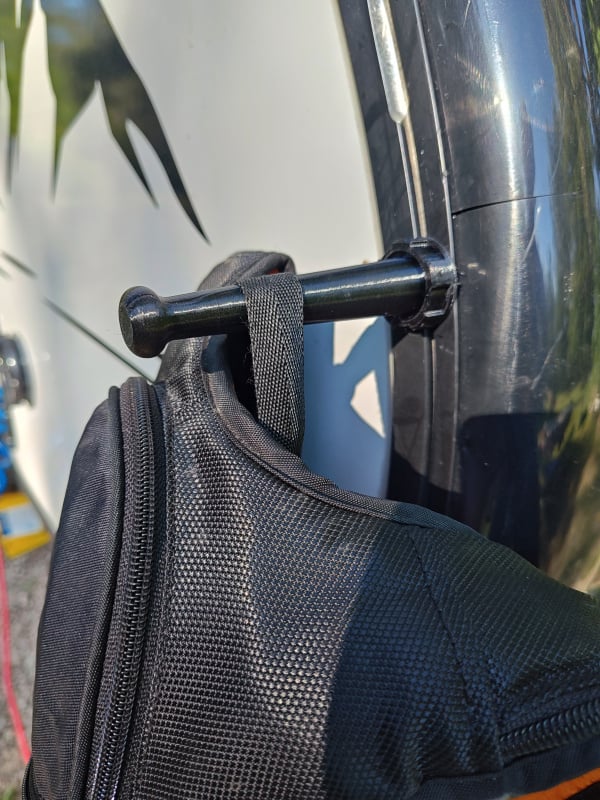
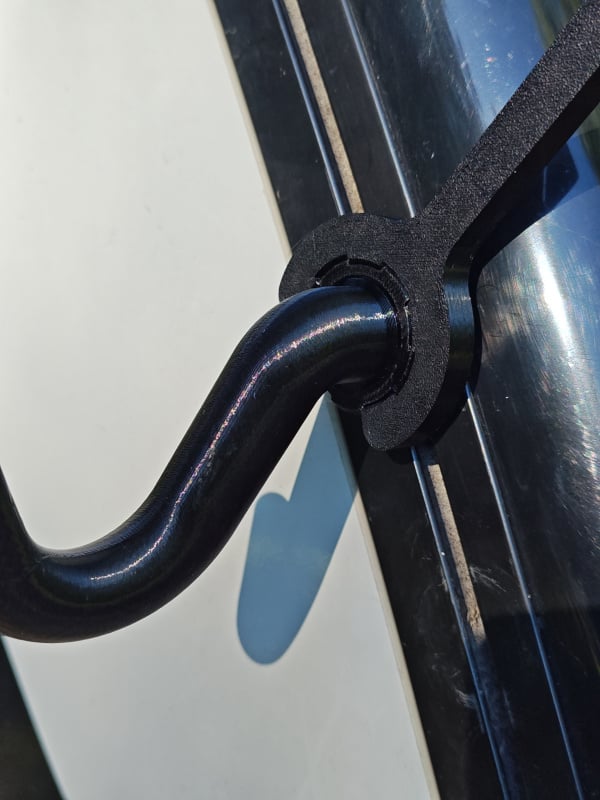
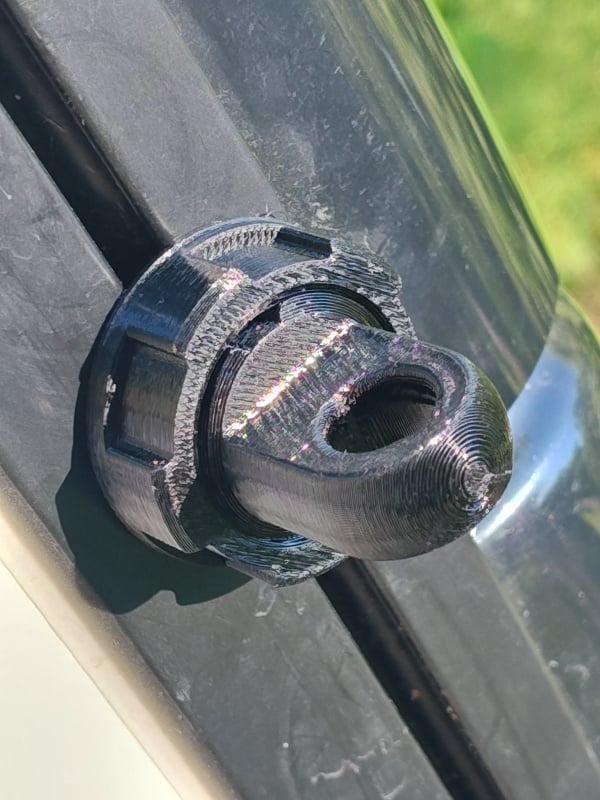
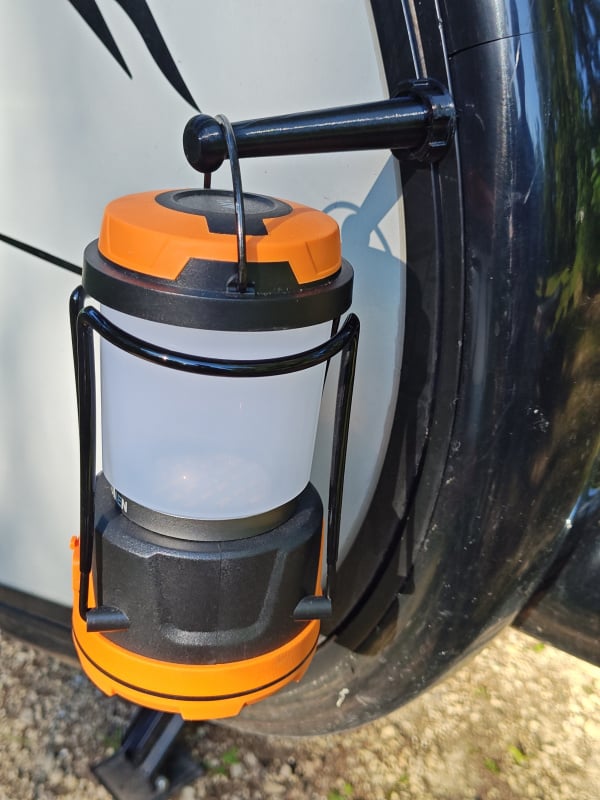
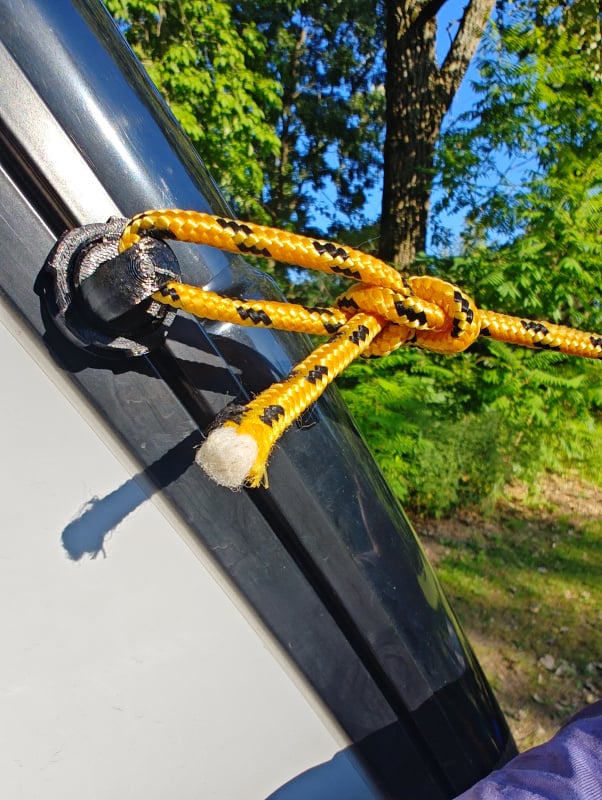
3D printed these cover/inserts. We found this area awkward to walk across and keep clean. Less so now.
Re: Replacing "Board" on Alde 3010
Below is what I ended up doing. It was a one time solder to install the terminals, but once done, future replacements will be solder free. For anyone attempting this you will need a good soldering iron, good electronics solder, and a "solder sucker" for disassembly. Some of the things used were based on what I could find conveniently (amazon) knowing I had the tools and skills to modify. The first 2 photo's show the new thermal fuse screw terminals installed. The 3rd photo show the components used, and the last photo is what I found most frustrating about the whole project…In The steps were to remove the PCP, unsolder the bad thermal fuse and use the solder sucker to remove remaining solder from the PCB. In photo 3 you will see the screw terminals I bought from Amazon. it was a 2 pole terminal block that I took to the benchtop sander and sanded off 1/2 of it to leave a single pole terminal. The photo shows as it came, the box label, and the modified unit. To mount the left side terminal, there was plenty of room and an easy drop in replacement. On the right side, I ended up extending the leg of of the terminal about 1/2" (by soldering a piece of wire to it) to allow a little wiggle room to reach the contact hole and avoid the adjacent components. Both left and right were through-hole soldered from the back side of the PCB. Please note that the left terminal faces down, and the right terminal faces inward. this allowed for a "Z" shape in the leads of the fuse legs to be "stretched" and placed into the position with a needle nose pliers, but primarily, on the right side, that is the orientation that fit best. it was a tight fit with the gray component directly above.
So a quick note, the worst part of the job for me was getting the PCB removed. Photo 4 shows a hex bolt on the far left side of the PCB. it is used to mechanically hold-down the PCB to the case and would assume ground contact as well. The original fastener was a recessed allen head screw that was an absolute pain to get out with standard hand tools. I could get one in there, but the handle had to be the absolute correct length, or you could only loosen a fraction of turn at a time. A quick trip to ACE, for a metric hex bolt matching length and thread, and threw that allen head away. Now with standard metric socket and extensions it is much easier…
Re: Replacing "Board" on Alde 3010
I just did a "Failed Circuit board" repair. It was the thermal fuse. The first thing is to confirm the (replaceable) fuses are good and then check the thermal fuse. do this by putting a temporary jumper from one side of the thermal fuse to the other. an Alligator clip jumper works great just so you can allow the 12v to get from one side of the fuse to the other. If you install the jumper and the unit fires up, you found your culprit. As this fuse is a safety device, remember jumpering is only a troubleshooting step, not a permanent solution. (in the below photo, The jumper is the white wire loop with the 2 light blue mark-up lines coming off it) To further my repair, I actually mounted Circuit board mount style screw terminals in the place where the old fuse was, and connected the thermal fuse to the screw terminals. I did this for 2 reasons. Soldering a thermal fuse is hard….the heat from the soldering iron can ruin the fuse, and like some had said, if I'm camping, not likely to have a soldering iron in my tool kit (I do carry the alligator jumper though) in the future, as others have stated, make sure the ALDE is not getting power hits as the camper is plugged in to the Tow Vehicle, Shore Power etc. The way I look at it is every time the 12v converter comes on line, it has the potential to send a surge to downstream components. I took the 12v line going to the ALDE and installed a 2 pole switch in the cabin. The ALDE is switched off until power is stable and I am ready to energize it.
Re: Replacing "Board" on Alde 3010
Have you contacted Truma in Elkhart, Indiana?
They have a website with an email option to contact them:
or by telephone at 1-855-558-7862, Ext. 1
Re: Isabella Sun Canopy: Not A Rain Canopy
Hello - Adam here with Isabella.
To give context (in an old thread) our awnings are made with a waterproof roof material. There is, on occasion, the chance of a brand new awning leaking where the sewing needle entered the fabric. The thread we use is designed to expand once moist and fill the holes. In the rare occasion this doesn't remedy itself, we recommend using our AquaTex re-proofing spray.
If you're interested in learning more about our materials and construction process, the video below is a walkthrough of our Isabella Academy with our Chief Commercial Officer; the same course we take our certified dealers through:
Isabella Academy Walkthrough
Isabella awning reports please
well the old pahque side tent is muddling toward entropy and I need a replacement. Does anyone have the time to give me your opinion on the Isabella deluxe awning? I know it needs a floor and I think it’s pretty big and heavy. We use the side tent about 15 to 30 days a year in Maine and Atlantic Canada so wind rain and critters must be kept at bay. We sometimes take a grandson with us and that’s where he stays. Thanks in advance. Capt Havoc
Guide to Using the Forum: Quotes
The Quote Button versus the Quote Tool:
The forum platform provides two distinct quoting features that serve different technical functions: the Quote Button located beneath individual posts, and the Quote Tool located on the text editor toolbar.
Understanding how these tools operate will help you choose which is best for your posts.
1. The "Quote" Button (Beneath User Posts)
This feature functions as an automated citation and linking mechanism to reference specific forum history.
- Automation: Clicking this button automatically duplicates the entire content of that specific post into your draft window.
- Metadata Integration: The system automatically embeds tracking data, displaying the original author’s username, avatar, timestamp, and a permanent link back to the source post.
- Editor Behavior: The content renders as a locked "Rich Quote" card. The editor treats this block as a single object (similar to an attached image or video). Consequently, you cannot edit or delete individual sentences within the card; you can only delete the entire container by clicking the trash icon.
2. The Toolbar "Quote" Tool (Inside the Editor)
This feature functions as a manual text-formatting tool represented by the quotation marks (“) icon.
- Manual Input: Clicking the icon creates a blank, indented container box (an HTML
<blockquote>element) inside your draft. You must manually type into it or paste text you have copied yourself. - No Metadata: This tool does not capture or display usernames, avatars, or timestamps, and it does not link back to any previous posts.
- Editor Behavior: The text remains completely fluid and editable. You can add, change, or delete individual characters or sentences inside this box at any time.
Quoting Features Comparison
Feature Capability | Quote Button (Below Post) | Quote Tool (On Editor Toolbar) |
|---|---|---|
Primary Purpose | Automated post citation and back-linking. | Visual text indentation and isolation. |
Content Source | Automatically imports the target post. | Requires user typing or manual pasting. |
Author Metadata | Included (displays avatar, name, and time). | Excluded (displays raw text characters only). |
Text Editability | Locked (must delete the entire block). | Fully editable (character-by-character). |
How to Quote Just a Single Line or Question
Because the main Quote Button imports the entire post as a locked card, use the following manual method if you only want to respond to a specific sentence or question:
- Highlight and copy (
Ctrl + CorCmd + C) the specific sentence you wish to address from a previous post. - Click into your reply box, navigate to a new line, and click the Quote Tool on the toolbar (Shortcut: type the
>symbol and press Space). - Paste the copied text inside the resulting box.
- Press Enter to step outside of the box, and type your response.
Re: 2018 Tab 320 cs-s 15 amp breaker tripped, and power with battery, not 30 amp Resolved
The 15A not resetting means the breaker itself is bad (low likelihood)
or there is a short with the convertor or gfci outlets being the most
likely failure point.
Lots of good advice in this discussion. The above comment by @MuttonChops almost certainly sums up the problem given the evidence provided.
The "beep" you hear when you plug in suggests the power source to the camper is fine, as is the 120V AC distribution within the camper.
That things work on battery power suggests the 12V DC distribution within the camper is also fine.
This narrows things down to a likely short in the single 120V AC circuit protected by the 15A breaker that won't reset. That circuit typically powers the AC to DC converter, as well as the camper's AC outlets. Note that a single GFI outlet is likely wired to protect other regular outlets downstream in the circuit.